

What can we help you with?
Add an Itinerary for RSVP
Add an event session that guests can RSVP to.
1
Open the RSVP Tab
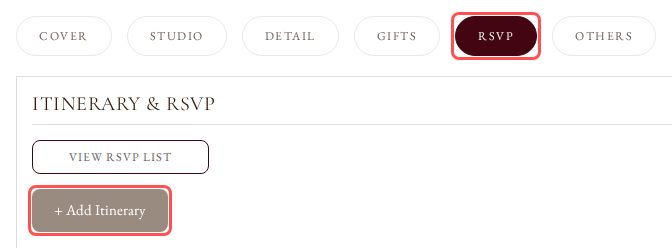
In the card editor, click the RSVP tab, then click + Add Itinerary.
2
Enter the Event Details
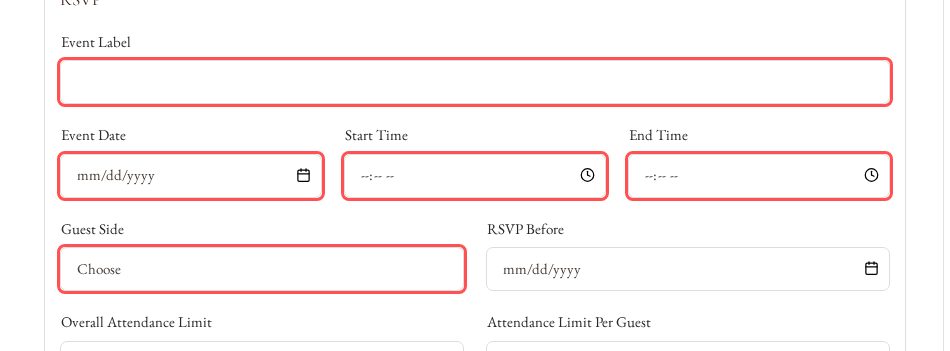
Fill in Event Label, Event Date, Start Time and End Time. Choose the Guest Side this session is for.
3
Set the RSVP Limits
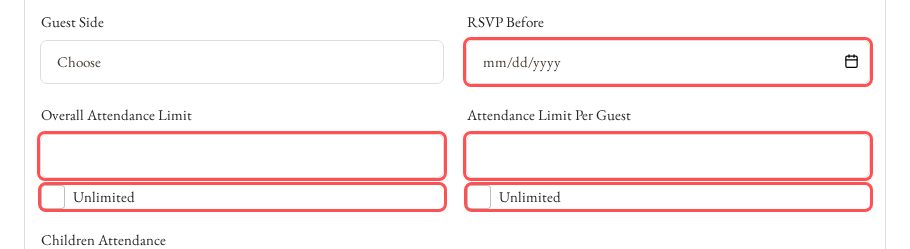
Set the RSVP Before date, the Overall Attendance Limit and the Attendance Limit Per Guest. Tick Unlimited under a limit to remove it.
4
Save the Itinerary
Click Save Draft or Publish. Guests see the RSVP button on your card when RSVP under Active Functions in the Cover tab is ticked.
